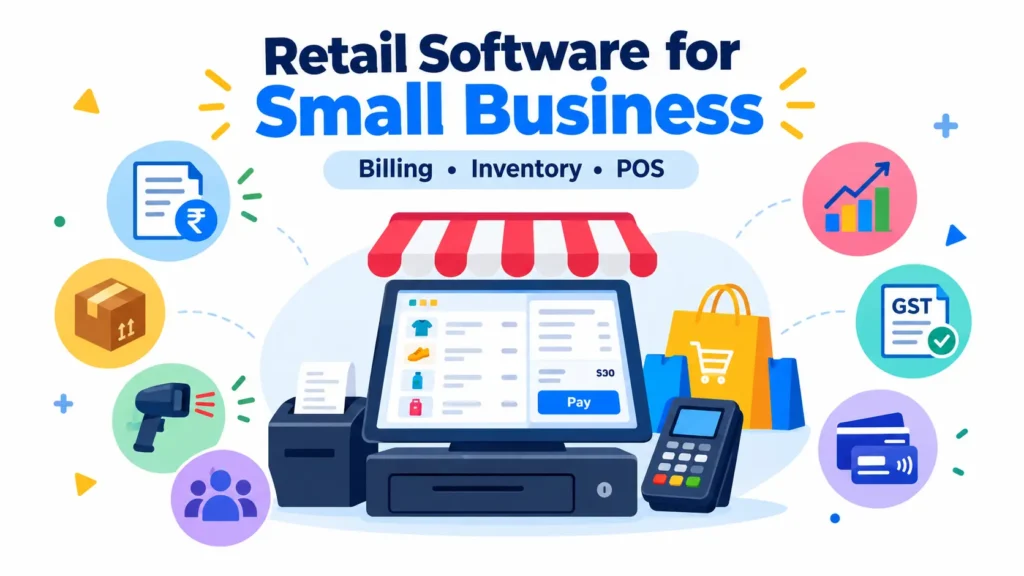
Running a small retail business involves much more than selling products. Store owners have to manage billing, inventory, customers, suppliers, payments, expenses, and daily sales—all while keeping the business running smoothly.When these tasks are handled manually or through separate tools, mistakes can easily occur. Products may go out of stock without notice, billing can take longer, and it becomes difficult to understand which products are actually driving sales.
This is where retail software for small business can make a significant difference. A good retail management system brings important business activities together in one place, helping shop owners save time, improve accuracy, and make better decisions.
What Is Retail Software for Small Business?
Retail software for small business is a digital solution designed to help small retailers manage everyday operations such as sales, billing, inventory, purchasing, customers, and payments.Instead of maintaining separate records for each activity, retailers can use one system to keep their business information organized.
For example, when a product is sold, the software can automatically record the sale and update the available inventory. This gives the shop owner a clearer picture of what has been sold and what needs to be replenished.
A retail software solution can be useful for:
- Grocery stores
- Clothing shops
- Footwear stores
- Electronics retailers
- Hardware stores
- Cosmetic shops
- Supermarkets
- General stores
- Mobile and accessories shops
- Specialty retail businesses
Why Do Small Retail Businesses Need Retail Management Software?
Small businesses often operate with limited employees and resources. Spending hours maintaining spreadsheets, checking stock manually, or preparing sales reports can take valuable time away from customers.Retail management software helps automate repetitive activities.
Some common benefits include:
- Faster billing
- Better inventory control
- Accurate sales records
- Easy purchase management
- Customer information management
- Real-time sales visibility
- Reduced manual errors
- Easier financial tracking
- Better business reporting
The main advantage is not simply automation. It is having reliable business information available when you need it.
Best Billing Software for Retail Shops: What Should You Look For?
Choosing the best billing software for retail shops depends on the specific needs of the business. A small retailer does not necessarily need a complicated enterprise system.The software should be simple enough for employees to learn quickly while still providing the features required for daily operations.
Easy and Fast Billing
Billing should be quick, especially during busy periods. The system should allow staff to create invoices, apply discounts, calculate taxes, and accept different payment methods without unnecessary steps.
GST-Compliant Billing
For Indian retailers, GST functionality can be an important requirement. The software should support appropriate GST calculations and provide useful reports for business and accounting purposes.
Barcode Support
Barcode scanning can significantly reduce the time required to enter products during billing. It can also minimize errors caused by manually entering product information.
Multiple Payment Options
Modern retail stores may accept cash, cards, UPI, and other digital payment methods. A useful billing system should make it easy to record these transactions accurately.
Sales Reports
Retailers should be able to view information such as:
- Daily sales
- Monthly sales
- Product-wise sales
- Category-wise sales
- Payment-wise sales
- Discount reports
- Tax reports
These reports help business owners understand what is happening in the store.
Retail POS System for Small Business: Key Features
A retail POS system for small business acts as the central point for processing sales and managing retail transactions.A modern POS system can do much more than simply print a bill.
Inventory Management
Inventory management is one of the most important functions of a retail POS system.
The software can help retailers monitor:
- Current stock
- Low-stock products
- Fast-moving products
- Slow-moving products
- Stock received
- Stock sold
- Stock adjustments
This can help prevent both overstocking and unexpected stock shortages.
Product Management
Retailers can maintain product information such as product names, categories, prices, tax rates, barcodes, units, and stock quantities.This makes it easier for employees to find products and complete transactions.
Customer Management
A POS system can maintain basic customer information and purchase history. This can help retailers understand customer buying patterns and provide more personalized service.
Supplier Management
Retail businesses also need to track suppliers and purchases. Retail software can help maintain supplier records, purchase orders, received stock, and supplier transactions.
Returns and Exchanges
Product returns are a normal part of retail operations. A good POS system should make it easier to process returns and exchanges while keeping inventory records updated.
Cheapest POS System for Small Business: Is the Lowest Price Always Better?
When searching for the cheapest POS system for small business, price is naturally an important consideration. However, choosing software solely because it has the lowest price can create problems later.A low-cost system may not include important features such as inventory management, reporting, GST billing, barcode support, data backup, or customer management.
Instead of asking only, “What is the cheapest POS system?”, small businesses should consider:
- Total cost of ownership
- Features included
- Ease of use
- Number of users
- Hardware requirements
- Customer support
- Data security
- Scalability
- Reporting capabilities
- Future upgrade costs
The right solution should provide useful functionality at a price that makes sense for the business.
How Retail Software Helps Reduce Manual Work
Consider a small clothing store that sells 100–200 products every day.
Without an integrated system, employees may need to:
- Create bills manually.
- Update stock separately.
- Record sales in another file.
- Check inventory at the end of the day.
- Prepare sales reports manually.
With integrated retail software, many of these activities can happen as part of the same transaction.
When an item is sold, the sale is recorded and inventory can be updated automatically. This reduces repetitive data entry and gives the owner a more consistent view of business operations.
Retail Software for Small Business and Inventory Control
Inventory is one of the biggest challenges for many retailers.Too much stock can block working capital, while too little stock can result in missed sales.Retail software can help businesses identify products that require attention. For example, low-stock alerts can remind staff to reorder products before they run out.Sales history can also help retailers identify which products sell frequently and which products remain on shelves for longer periods.
How to Choose the Right Retail Software for Your Business
Before purchasing retail software, make a list of your actual business requirements.
Ask the following questions:
Does It Support Your Type of Retail Business?
A grocery store may have different requirements from a clothing store or electronics shop. Look for software that fits your industry and product structure.
Is It Easy for Employees to Use?
A feature-rich system is not useful if employees find it difficult to operate. A clean interface and simple workflow can make adoption easier.
Does It Include Inventory and Billing?
For most small retailers, billing and inventory are fundamental requirements. Check whether these features are included in the package you are considering.
Can the Software Grow With Your Business?
Your requirements may change as your store grows. Consider whether the system can support additional users, products, branches, or business processes later.
Is Customer Support Available?
Technical issues can affect daily retail operations. Reliable support can therefore be an important consideration when selecting software.
Retail POS System vs Traditional Billing Software
Traditional billing software may primarily focus on invoice creation, whereas a modern retail POS system can connect billing with inventory, customers, purchasing, and reporting.
| Feature | Basic Billing Software | Retail POS System |
| Billing | ✓ | ✓ |
| Inventory | Limited | ✓ |
| Barcode | Sometimes | ✓ |
| Customer Management | Limited | ✓ |
| Supplier Management | Limited | ✓ |
| Sales Reports | Basic | Advanced |
| Stock Tracking | Limited | ✓ |
| Returns & Exchanges | Basic | ✓ |
| Business Insights | Limited | ✓ |
The right choice depends on the size and complexity of the retail business.
Benefits of Using Retail Software in Daily Operations
A well-implemented retail solution can help small businesses achieve several practical improvements.
Faster transactions: Employees can create bills more quickly.
Better stock visibility: Owners can see available inventory without manually counting every item.
Fewer data-entry mistakes: Automated calculations reduce common billing and recording errors.
Improved reporting: Sales and inventory reports can provide useful information for business decisions.
Better customer service: Faster checkout and access to customer information can improve the shopping experience.
Greater control: Owners can monitor business activity more easily.
Is Retail Software Worth It for a Small Shop?
For many small retailers, the value of retail software comes from saving time and improving control over everyday operations.
The software does not replace good business practices. Instead, it provides organized information that can help owners manage those practices more efficiently.A shop that starts with a few products may manage manually for some time. As the number of products, transactions, employees, and customers increases, however, manual processes can become increasingly difficult to maintain.
That is where a retail POS or integrated retail management system can become particularly useful.
Conclusion
Choosing retail software for small business is not simply about finding the software with the longest feature list or the lowest price.The right solution should match your business size, product range, billing requirements, inventory processes, and future plans.
If you’re comparing the best billing software for retail shops, a retail POS system for small business, or the cheapest POS system for small business, focus on the complete value the software provides—not just the initial price.A simple, reliable, and scalable retail system can help small businesses spend less time managing paperwork and more time serving customers and growing their business.Top of Form