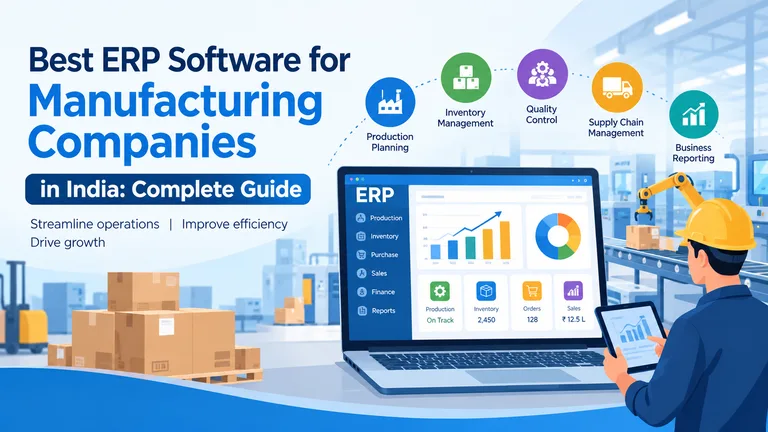
The best ERP software for manufacturing companies is a solution that integrates production planning, inventory management, purchasing, product costing, quality control, sales, and finance into a connected system. Manufacturing businesses should choose ERP software based on their industry requirements, production processes, scalability, implementation support, and total cost of ownership.
Manufacturing companies in India increasingly need technology to improve operational visibility, manage raw materials, reduce manual processes, and make better business decisions. The right manufacturing ERP software can help organizations connect different departments and manage business operations through a centralized platform.
For small businesses, medium-sized enterprises, and large manufacturers, ERP selection should focus on practical business requirements rather than software popularity alone.
What Is Manufacturing ERP Software?
Manufacturing ERP software is an enterprise resource planning system designed to manage and integrate manufacturing and business operations.
Unlike basic accounting or inventory applications, manufacturing-focused ERP software can support production-related workflows such as material planning, bill of materials (BOM), work-in-progress tracking, costing, and quality management.
A manufacturing ERP system may connect the following departments:
- Production and operations
- Inventory and warehouse
- Purchase and procurement
- Sales and distribution
- Finance and accounting
- Quality control
- Supply chain
- Management and reporting
For example, when a customer order is received, the ERP system can help the business evaluate production requirements, check material availability, plan procurement, manage production, and track finished goods according to its configured workflows.
The objective is to provide better coordination and visibility across manufacturing operations.
Why Do Manufacturing Companies Need ERP Software?
Manufacturing businesses often manage complex processes involving raw materials, multiple production stages, machines, workers, suppliers, customers, and delivery schedules. When information is maintained in disconnected applications or spreadsheets, teams may face operational delays and inconsistent data.
An ERP for the manufacturing industry can help address common business challenges, including:
1. Manual Production Planning
Manual planning can make it difficult to coordinate production requirements, inventory availability, and customer delivery commitments.
ERP software can help organize production plans and provide relevant information for scheduling and resource planning.
2. Inventory Management Problems
Manufacturers need visibility into raw materials, work-in-progress inventory, and finished goods.
Manufacturing ERP software may support:
- Raw material tracking
- Stock movement
- Warehouse management
- Batch and lot tracking
- Inventory valuation
- Material availability
- Reorder planning
3. Limited Product Costing
Manufacturing costs may include raw materials, labor, machine operations, electricity, wastage, and other expenses.
ERP software with costing functionality can help businesses analyze product costs according to the costing methods and data configured in the system.
4. Disconnected Business Departments
When production, sales, purchase, inventory, and finance use separate systems, information may be delayed or duplicated.
Integrated ERP solutions for the manufacturing industry can help connect business processes and improve access to relevant operational information.
Essential Features of Manufacturing ERP Software
When selecting ERP software for manufacturing companies, businesses should evaluate the following features.
1. Production Planning and Material Requirements Planning (MRP)
Production planning helps manufacturers organize production activities according to demand, capacity, inventory, and business requirements.
Material Requirements Planning (MRP) helps determine material requirements based on relevant inputs, such as production plans, bills of materials, and available stock.
Important capabilities to evaluate include:
- Production planning
- Material requirements planning
- Production scheduling
- Bill of Materials (BOM)
- Work-in-progress tracking
- Material consumption
- Process management
- Rework and rejection tracking
The actual capabilities of an ERP system depend on its configuration and product modules.
2. Inventory and Warehouse Management
Inventory management is a core requirement for most manufacturing companies.
An ERP system should be evaluated for its ability to manage:
- Raw materials
- Semi-finished products
- Finished goods
- Multiple warehouses
- Batch and lot numbers
- Stock transfers
- Inventory valuation
- Material traceability
Better inventory visibility can help teams coordinate procurement and production more effectively.
3. Product Costing and Profitability
Manufacturers need to understand the costs associated with producing and selling their products.
Relevant ERP features may include:
- Product-level costing
- Material cost calculation
- Process-wise costing
- Batch costing
- Wastage accounting
- Rework cost tracking
- Customer or product profitability
- Cost comparison reports
Before purchasing software, confirm how the ERP calculates costs and whether its costing approach matches your manufacturing processes.
4. Quality Control and Traceability
Quality control and traceability can be important for manufacturers that need to monitor material quality and production outcomes.
Manufacturing ERP systems may support:
- Incoming material inspection
- In-process quality checks
- Finished goods inspection
- Batch traceability
- Quality certificates
- Rejection tracking
- Customer complaints
- Corrective action workflows
Manufacturers should verify whether the solution supports their product-specific compliance and traceability requirements.
5. Purchase and Supplier Management
Procurement is closely connected to inventory and production planning.
ERP software can help manage:
- Purchase requisitions
- Purchase orders
- Supplier records
- Material receipts
- Purchase history
- Supplier performance
- Procurement reporting
An integrated workflow can provide better visibility into purchasing and material availability.
6. Sales and Dispatch Management
Manufacturing businesses must coordinate customer orders, production schedules, inventory, and dispatch activities.
Relevant ERP capabilities may include:
- Sales order management
- Customer order tracking
- Finished goods availability
- Delivery scheduling
- Dispatch management
- Customer-specific product information
- Outstanding payment tracking
Businesses should assess these features using their actual order-to-delivery process.
7. Reporting and Business Analytics
Manufacturing management software should provide useful reports that support operational and strategic decisions.
Common reporting requirements include:
- Production performance
- Inventory status
- Material consumption
- Purchase reports
- Sales reports
- Product costing
- Profitability
- Quality performance
- Outstanding receivables
The availability of dashboards and custom reports should be confirmed during the product demonstration.
How to Choose the Best ERP Software for Manufacturing in India
Selecting the best ERP software for manufacturing in India requires a structured evaluation process. Different businesses have different production models, budgets, and operational requirements.
Step 1: Define Your Manufacturing Requirements
Create a detailed list of your current business challenges and required features.
Consider:
- Type of manufacturing process
- Number of plants and warehouses
- Number of ERP users
- Raw material requirements
- Production stages
- Inventory management needs
- Accounting requirements
- Quality control processes
- Reporting and analytics
A clear requirements document helps you compare ERP providers consistently.
Step 2: Evaluate Industry-Specific Functionality
Different industries may require different ERP capabilities.
For example:
| Industry | Relevant ERP Features |
| Automotive | BOM, traceability, production planning, quality control |
| FMCG | Inventory, batch management, distribution, sales |
| Electrical | Production, inventory, product costing, quality |
| Furniture | BOM, material consumption, production, costing |
| Engineering | Process management, MRP, job work, inventory |
Select a solution based on the workflows your business actually needs. An ERP marketed for manufacturing may not include every feature required by every industry.
Step 3: Compare Total Cost
The cost of ERP software depends on factors such as licensing, users, modules, implementation, customization, training, and support.
Evaluate:
- Software license or subscription
- Implementation cost
- Data migration
- Customization
- Employee training
- Technical support
- Integration
- Maintenance and upgrades
A lower initial cost may not represent a lower total cost over the complete software lifecycle.
Step 4: Request a Live Product Demonstration
A product demonstration helps your team evaluate whether the software supports actual business workflows.
Ask the ERP provider to demonstrate a process such as:
Customer Order → Production Planning → MRP → Purchase → Production → Quality Check → Finished Goods → Dispatch → Accounting
Use your own business examples and ask questions about exceptions, approvals, reporting, and user permissions.
Step 5: Check Scalability and Integration
Your ERP system should be evaluated according to current and expected future business needs.
Ask the provider about:
- Multiple branches and plants
- Additional users
- Integration with accounting systems
- API availability
- Reporting customization
- Data security
- Backup and recovery
- Future upgrades
Confirm which features are available by default and which require additional development.
Low-Cost Manufacturing ERP Software: What Should SMEs Consider?
Small and medium-sized manufacturers often search for low cost manufacturing ERP software to improve business operations without making an excessive initial investment.
Affordable ERP software should still meet the company’s essential functional and operational requirements.
Important Evaluation Criteria
Core manufacturing features: The system should support the production processes required by the business.
Transparent pricing: Understand all implementation, subscription, customization, and support costs.
Ease of implementation: Consider the time and resources needed to deploy the software.
Scalability: Check whether the solution can support additional users, locations, and operational complexity.
Support and training: Evaluate the availability of assistance after implementation.
A low-cost ERP solution may be suitable for some SMEs, while other manufacturers may require a more comprehensive enterprise platform. The right choice depends on the company’s requirements and budget.
Types of ERP Solutions for the Manufacturing Industry
Manufacturing companies can evaluate ERP deployment and architecture based on their business needs.
Cloud ERP
Cloud ERP software is hosted by a provider and accessed through supported internet-connected devices.
Potential benefits:
- Reduced need for on-site infrastructure
- Provider-managed updates, depending on the agreement
- Flexible access
- Subscription-based pricing options
Businesses should assess data security, availability, integrations, and ongoing costs.
On-Premise ERP
On-premise ERP is deployed on infrastructure managed by the organization or its designated IT team.
Potential considerations:
- Infrastructure management
- Internal IT resources
- Maintenance and upgrades
- Data management responsibilities
- Upfront implementation requirements
Industry-Specific ERP
Industry-specific ERP software is designed to support the workflows and requirements of particular industries.
For manufacturers, this may include functionality for production planning, inventory, costing, quality management, and traceability.
NEWTON ERP for Manufacturing Companies
NEWTON ERP by Nippon Data can be evaluated by manufacturing companies looking for integrated enterprise software capabilities.
The solution should be assessed according to the company’s operational requirements, including manufacturing processes, inventory management, costing, quality control, and business reporting.
Relevant evaluation areas may include:
- Manufacturing and production workflows
- Inventory management
- Material planning
- Product costing
- Sales and purchase processes
- Quality management
- Reporting and analytics
- Business process integration
For businesses considering industrial ERP software, the most important step is to verify the product’s available modules, implementation scope, integration options, and suitability for their specific manufacturing operations.
Looking for ERP software for your manufacturing business? Connect with Nippon Data to discuss your requirements and explore NEWTON ERP.
Conclusion
The best ERP software for manufacturing companies should support the organization’s production processes, inventory requirements, costing, quality management, and business operations. Manufacturers in India should evaluate ERP software based on industry suitability, implementation costs, scalability, integrations, and support.
Whether you operate a small manufacturing business or a growing enterprise, a structured ERP selection process can help you identify a solution that aligns with your operational goals.
Explore NEWTON ERP by Nippon Data to discuss manufacturing ERP requirements and identify relevant enterprise software capabilities for your business.